
Medically reviewed by Nokta İşitme Audiology Team (Audiologist) according to hearing health information standards.
Buying a hearing aid is an important step; but it is professional programming that reveals the true value of the device. The same model device offers clear speech and comfort when programmed correctly; When adjusted incorrectly, it may be uncomfortable or inadequate. In this article, we explain why programming is critical, how the process works, and its role in real-life listening scenarios.
This content is for general information purposes. hearing test and expert consultation are recommended for personal evaluation.
Why is a device without programming not enough?
Every hearing loss is unique. The right and left ear may be affected at different levels; The frequency-based loss pattern varies from person to person. Factory settings do not take these individual differences into account.
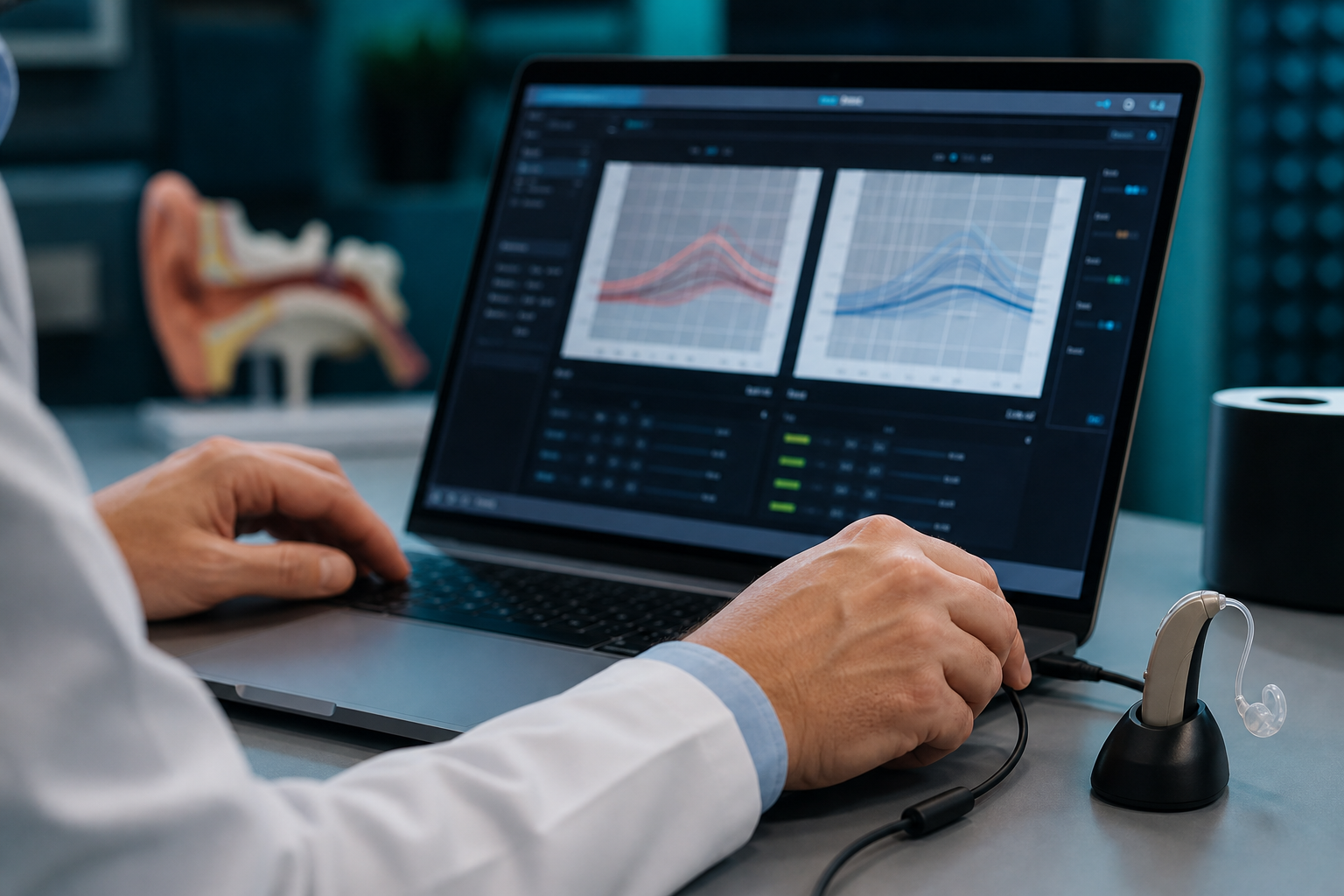
Programming is the process of transferring your audiometry results into the device software. At this stage, it is determined how much gain will be given at which frequency, how soft and loud sounds will be processed, and how noise management will work.
Difference between factory setting and personal setting
The factory setting approximates a general "moderate hearing loss" profile. If your audiogram differs from this profile, the device will either fall short or over-amplify at some frequencies. Excessive amplification causes sibilance, echo and ear fatigue.
Professional programming eliminates this risk. Measurement-based adjustment is based on scientific protocols and clinical experience.
What is adjusted during the programming process?
Modern hearing aids contain dozens of parameters. The basic setting fields are:
- Frequency gain:Amplifying sound according to your hearing threshold in each frequency band
- Compression: Balanced processing of soft and loud sounds
- Maximum output limit: Upper volume limit that protects ear health
- Noise management: Reducing background noise
- Directional microphone: Focus on front speaker
- Environment programs: Scenarios such as home, out, restaurant
- Phone and TV connection:Wi-Fi streaming settings
Our device programming service includes adjusting these parameters according to your personal needs.
How is the first programming done?
The first programming session usually proceeds with these steps:
- Examining existing hearing test data
- Ear examination and device physical check
- Loading audiogram data into the software
- Adjusting basic gain and compression settings
- Live sound trial (speech, silence)
- Usage training and familiarization suggestions
The initial setting usually starts with a low volume. This is intentional; The brain should get used to new sounds gradually. Our article Adjustment process explains this period in detail.
Why is live testing important?
Audiogram data is the measurement in the clinical environment. The real-life audio experience is different. In the live trial, the expert and the user talk together; Adjustments are made with instant feedback. Expressions such as "too high-pitched", "low-pitched" or "reverberant" are reflected directly in the software.
What is fine tuning and when is it needed?
Tweaking is corrections based on real-life experiences after initial programming. Problems you notice after using the device at home, at work, in the market or in a restaurant are the basis for fine tuning.
Fine tuning is not a mistake, it is a natural part of the process. Most satisfied users go through at least one or two tweaking sessions.
| Feedback | Possible setting |
|---|---|
| Volume too loud | General gain reduction, compression increase |
| Speech is flat | Mid-high frequency gain boost |
| Whistling/high-pitched voice discomfort | Treble frequency correction, feedback management |
| Difficulty in a noisy environment | Noise management and directional microphone adjustment |
| My own voice echoes | Occlusion management, mold control |
Real life listening scenarios
Programming is not just a speaking test in a quiet room. Real scenarios in your daily life are targeted.
Home environment
Television sound, kitchen noise, spouse or family conversations are part of the home environment. A separate media setting can be made for the TV program. If there is a wireless connection, audio streams directly to the device; This requires separate calibration.
Business and meeting environment
Long meetings, phone calls, and open office noise present different challenges. Directional microphone and noise management play critical roles in these scenarios. Explaining your work environment to your expert directly affects the setting.
Social environments
Restaurants, weddings or crowded events are the most challenging scenarios for hearing aids. The special "noisy environment" program may come into play in these cases. Realistic expectation is also part of programming; No setting guarantees perfect hearing in a crowd.
Clear air and wind
When walking outside, wind noise may hit the microphone. Modern devices have wind noise reduction; The sensitivity of this feature is adjusted by programming.
The difference between professional programming and self-tuning
On many modern devices, the volume can be increased or decreased via a mobile application. This feature is useful for small daily needs.
However, the application cannot:
- Drawing the frequency-based gain curve correctly
- Adjusting compression ratios according to hearing loss type
- Optimizing feedback management
- Detecting earmold incompatibility
- Assessing hearing status change
The application completes the programming; does not replace it. The basic setting should always be under expert control.
Programming and device type relationship
In-ear and behind-the-ear devices programming needs are the same; The method is the same. However, in in-ear devices, mold fit and occlusion are as important as programming.
If theEarmould is incompatible, even the best software setting will be inadequate. For this reason, physical compliance is also checked during programming sessions.
Consequences of incorrect or incomplete programming
The following problems are common when programming is neglected or done in a hurry:
- Do not put the device in a drawer or use it irregularly
- Perception of "hearing aids do not work"
- Ear fatigue and headache
- Total abandonment in a noisy environment
- Unnecessary repair or search for new device
However, in most cases, the problem is not with the device, but with the setting. After-sales support and regular checking break this cycle.
How often should programming be updated?
During the adaptation period (first 3–6 months), a check every few weeks is recommended. During this period, the brain gets used to new sounds; The setting is also updated accordingly.
Afterwards, a routine checkup per year may be sufficient. However, make an appointment early in the following cases:
- If hearing is noticeably impaired
- If you have had an ear infection or congestion
- If you have moved to a new work or living environment
- If the device model or ear piece has changed
Hearing status may change over time. Programming should be updated after the new hearing test.
Firmware and expertise
Each brand uses its own programming software. Phonak Target, Oticon fitting software and ReSound Aventa require specialist training.
The automatic suggestions offered by the software are the starting point; The final decision is based on clinical experience and user feedback. Therefore, programming is not a "plug it into the computer and be done" process.
Programming in children and the elderly
Hearing loss profile in children may change with growth. Programming should be updated more frequently. The child may not be able to give feedback; Therefore, parental observation and objective measurements become important.
Cognitive load and technology adaptation should be taken into account in the elderly. Simple program structure, automatic media switching and family support influence programming decisions.
SGK process and programming
Professional programming is also a must for devices procured within the scope of SGK. Device delivery should be planned together with the programming session.
Ministry of Health emphasizes quality standards in hearing health services. Programming is an integral part of this quality chain.
Programming and maintenance relationship
Sometimes the decrease in sound quality is not a software problem, but a physical problem. A clogged microphone, worn hose, dirty wax filter or moisture damage will reduce performance.
Repair and maintenance control should be integrated into programming sessions. Simple maintenance problems can be solved instead of unnecessary software changes.
Our programming approach at Nokta İştirme
In our İzmir Bozyaka and Yeşilyurt branches, programming is not considered a one-time process. We are with you throughout your adaptation process.
Our process operates with the following principles:
- Initial setting based on measurement
- Live trial and instant feedback
- Fine-tuning based on real-life scenarios
- Regular check-up appointments
- Open communication and realistic expectation management
appointment. We also evaluate the compatibility of the device you purchased from another center.
Conclusion
Programming determines the return on your hearing aid investment. Even the most advanced device cannot reach its potential without being tuned correctly. Professional programming; It is the key to clear speaking, comfortable listening and long-term satisfaction.
Data-driven tuning: beyond audiogram
Programming is not just copying the audiogram line to the device. The type of hearing loss (sensorineural, conductive, mixed), speech test results and the user's subjective complaints are evaluated together.
For example, excessive amplification of high-pitched sounds in someone with high frequency loss may cause hissing. The expert shapes the earnings curve to minimize this risk. This balance is established through measurement data and clinical experience.
Real-ear measurement (REM)
In some centers, real-ear measurement is performed. This measurement objectively shows how much sound the device is actually delivering to your ear. Measurement-assisted programming can deliver more consistent results than predictive tuning.
Binar ear synchronization
When using two devices, it is important that the right and left ear settings are compatible with each other. Synchronized devices change the media program and adjust the volume simultaneously.
In the programming session, both devices are evaluated separately; However, binaural (two-ear) balance is observed. Excessive difference in one ear can impair perception of the direction of the sound.
Tinnitus and programming
Hearing loss and tinnitus may occur together. Proper programming can help reduce the noticeability of tinnitus; because the increase in external sounds pushes the tinnitus into the background.
However, programming is not a treatment for tinnitus. Tinnitus assessment is a separate process. If you have a tinnitus complaint, be sure to share it during the programming session.
User training is part of programming
The best setting won't work if the user can't properly plug and unplug or maintain the device. During programming sessions, training is given on the following topics:
- Correctly inserting and removing the device
- Battery or charging routine
- Cleaning and wax filter replacement
- Switching between media programs
- Mobile application usage
- What to do in case of problem
Training may be repeated as part of after-sales support. Especially for elderly users, it is beneficial for family members to participate in the training.
Real case scenarios
The following examples show the impact of programming in daily life. The names are made up; The scenarios are compiled from clinical practice.
Scenario 1: Conversation in a noisy restaurant
A 62-year-old user is satisfied at home after the first programming; but cannot hear conversation in the restaurant. In fine tuning, noise management is strengthened, directional microphone sensitivity is increased and the "restaurant" program is created. In the third week, the user begins to re-participate in social meals.
Scenario 2: Whistling phone call
A 45-year-old user hears whistling during a phone call. The problem is caused by too much frequency gain. Treble frequency correction is made in fine tuning; The phone program is tested separately. The whistle disappears.
Scenario 3: Stopping from wearing the device
A 70-year-old user stopped wearing it saying "the device does not work". During re-evaluation, earmold mismatch and excessive gain are detected. The mold is renewed and the gain is gradually reduced. Daily use begins within a month.
Programming records and tracking
Settings made during each programming session are saved digitally. These recordings provide the opportunity for comparison and retrieval in subsequent sessions. The "return to previous setting" request is possible with these records.
Regular monitoring shows how settings change over time. This is a good sign if your hearing is stable and the settings do not need to be changed frequently.
Online setting and remote support limits
Some manufacturers offer a remote adjustment feature. This feature is useful for minor corrections and ease of access during the pandemic. However, initial programming and physical control of the device must be done face to face.
Remote adjustment is not a substitute for an ear examination, mold check, or hearing test. A hybrid model—initial face-to-face, with remote support in follow-up sessions—may be a practical middle ground.
Combination of programming and adaptation process
Programming is not a one-time setup; It is an ongoing collaboration throughout the adaptation process. The first setting starts low; As the brain gets used to it, the gain is increased. This gradual approach prevents the user from dropping the device.
The home exercises and daily note-taking we describe in our articleGetting used to it directly enrich the programming sessions. The clearer feedback you give, the more accurate the adjustment will be.
Success criteria after programming
Signs that indicate successful programming are:
- Daily device usage time is increasing
- The need for speech repetition decreases
- Television and phone use becomes easier
- Communication becomes possible in a noisy environment
- Ear fatigue is acceptable
Achieving these goals may take weeks or months. Patience, regular use and open communication are the basis of the process.
Programming and device renewal
When you switch to a new device, it is not always correct to copy the settings of the old device exactly. The new model offers different sound processing; Your hearing may also have changed over the years. Device replacement should be planned together with updated hearing testing and programming from scratch.
Firmware updates may also occasionally affect programming parameters. Software updates are also reviewed at regular check-up appointments.
Investing in programming
The return on investment in a hearing aid is not when the device comes out of the box; It starts with proper programming and follow-up. Spending time on fine-tuning sessions is much more valuable than putting the device in a drawer.
Each of your feedback improves the next setting. Even simple expressions such as "a little clearer", "a little softer" are powerful data for the expert. Open communication is the foundation of successful programming.
For your questions, contact us on our contact page. You can also review our guide contents about Device selection and application process
Frequently asked questions
What is hearing aid programming?
It is the adjustment of the device's software according to your hearing test results, ear structure and daily listening needs. Gain, frequency balance, compression and noise management are regulated in this process.
Can the device be used out of the box?
No. Factory settings provide a general profile; It is not suitable for your individual hearing loss. Without programming, the device may produce either very weak or uncomfortably loud sound.
How many sessions does programming take?
Initial programming usually takes 45–60 minutes. One or more fine-tuning sessions may be required during the acclimatization process. This is a normal and expected process.
Can I have the device I bought from somewhere else programmed?
Depends on brand and software compatibility. Programming can be done on compatible devices. All you have to do is specify your device model when making an appointment.
Is it enough to make adjustments on my own with the application?
The app is useful for minor sound changes. However, basic gain and frequency adjustment requires professional measurement and experience. The app is not a substitute for programming.
How often should programming be updated?
Checking every few weeks is recommended during the acclimation period. Afterwards, a routine checkup once a year or an update when hearing changes are felt may be sufficient.
What problems does incorrect programming cause?
The most common consequences are hoarseness, high-pitched whistling, hypersensitivity to noise, ear fatigue, and discontinuation of use of the device.
Kaynakça ve Referanslar
Bu makaledeki tıbbi bilgilendirmeler aşağıdaki güvenilir kaynaklara dayanmaktadır.
- Sosyal Güvenlik Kurumu — Resmi web sitesi — SGK
- T.C. Sağlık Bakanlığı — Sağlık bilgilendirme — Sağlık Bakanlığı
Get a free initial evaluation for device programming that's right for you