
Medically reviewed by Nokta İşitme Audiology Team (Audiologist) according to hearing health information standards.
You bought a new phone, paired your hearing aids — one day the connection works, the next day it drops. It was said «compatible» in the store, but at home it is different. This painting appears several times a week in Nokta İşitme. When you search for "mobile phones compatible with hearing aids", the lists you see are not always up to date; The main issue is not the brand, but protocol and version compatibility.
In this article, we explain in simple language which phones work better with which devices, why disconnections occur, and what you should look for when buying a phone. There is no single «best phone»; It varies depending on your device and usage habits.
Why doesn't every phone work with every device?
The connection between the hearing aid and the phone is different from a regular Bluetooth headset. Hearing aids require low latency, low energy consumption, and sound processing suitable for hearing loss. The phone side should also support this.
Three layers come together:
- Hearing aid: Bluetooth LE, ASHA, MFi or manufacturer specific streaming protocol
- Phone:OS version and hardware Bluetooth version
- Application: Compatibility of brand applications such as Oticon, Bernafon, Philips with the phone
If one is missing, "connected" appears but there is no call tone or the music falls into one ear. That's why the phrase "There is Bluetooth" in the catalog alone is not enough.
What does Made for iPhone (MFi) mean?
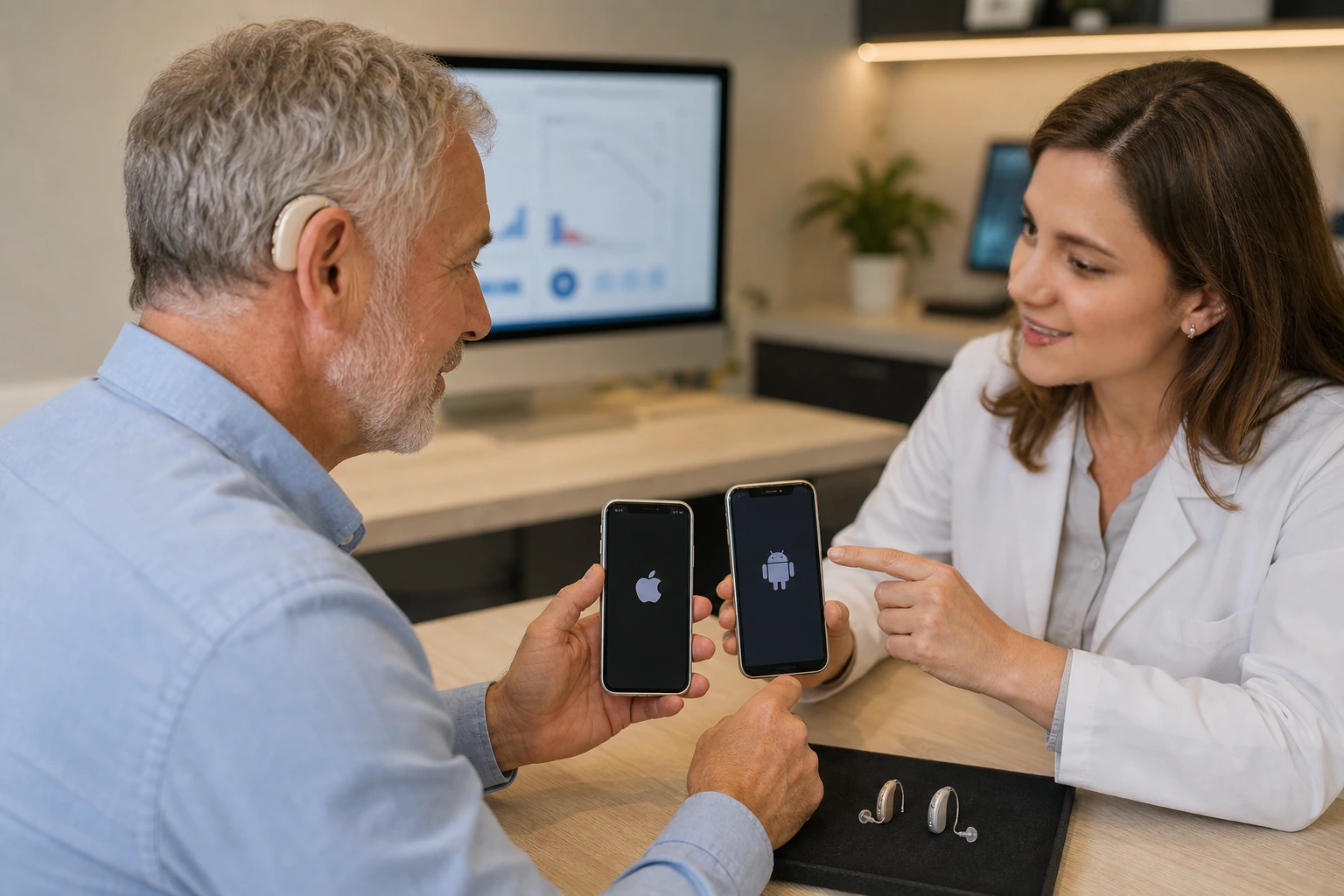
Apple certifies certain hearing aids as «Made for iPhone» or «Made for iPhone, iPad and iPod touch». These devices pair directly with iOS; Settings > Accessibility > It is connected from the Hearing Aids menu.
This is generally the smoothest way for iPhone users. iPhone 12 and later, with the current iOS version, provides stable calling and app control on most MFi devices.
Things to consider with iPhone
- Keep iOS updated; The connection profile may be missing in older versions
- If you have two hearing aids, pairing time may take a little longer — be patient
- Multiple Bluetooth devices at the same time with Apple Watch or AirPods sometimes conflict with priority
For more detailed Bluetooth usage scenarios, you can check out our Bluetooth hearing aid guide.
ASHA and compatibility on Android side
Hearing aid support on Android is more fragmented. The ASHA (Audio Streaming for Hearing Aids) protocol developed by Google aims to transfer sound directly to the hearing aid. However, not every Android phone supports ASHA; Varies by manufacturer and model.
Brands that generally report better experience: current Samsung Galaxy S and A series (upper-mid segment), Google Pixel (last few generations), some Xiaomi and OnePlus models. The complaint "device found but no sound" is common in entry segment or 3-4 year old models.
| Feature | iPhone (MFi device) | Android (ASHA supported) |
|---|---|---|
| Ease of pairing | Generally high | Varies depending on model |
| Phone call flow | Stable on most MFi models | Good on supporting models |
| Application control | Brand app + iOS settings | Brand app + manufacturer interface |
| Update precision | iOS update is important | Android version + manufacturer interface |
Checklist when buying or replacing a phone
If you use a hearing aid, choosing a phone should not end with "the cheapest" or "the most camera". We recommend these steps:
- Look for your phone model in the official compatibility list for your hearing aid brand
- Make a test call with your own device before purchasing in store — if possible
- Prefer Bluetooth 5.0 or above
- Note that battery saver mode disconnects; Put the hearing aid app on the «unrestricted» list
- Schedule a short follow-up appointment with your hearing center after the phone replacement
Phone compatibility should also be a selection criterion when buying a new device. We evaluate this together during the Hearing aid selection process.
Common connection problems and practical solutions
Connection keeps dropping
Restart the phone, put the device in the charging case and remove it, delete the pairing and try again. If it still persists, check battery saver and background app restrictions.
There is no call sound, there is music
Different Bluetooth profiles may be activated. Check the «phone call» or «media audio» channels in the phone settings; Turn on the «hands-free» option in the brand application.
Only one ear hears
Dual device pairing may have been incomplete. Remove both devices from the list and pair them again in order.
Old phone, new device
New generation hearing aids support LE Audio; Features remain limited in phones that are 5–6 years old. In this case, the device works, but it is necessary to lower the expectation of wireless flow.
For whom is phone compatibility critical?
- Those who talk on the phone for long periods of time a day (sales, support, family communication)
- Those who hold online meetings and video calls
- Those who use their phones extensively for music or podcasts
- Older users — large screen and simple interface are as important as ergonomics; We also covered screen size and button access in our choosing a device for the elderly guide
For someone who only talks face to face and rarely uses the phone, incompatibility does not collapse daily life; The basic function of the device continues.
Are manufacturer lists reliable?
Yes, but date control is required. Brands such as Oticon, Philips, Bernafon have a "compatible phones" section on their websites. Apple's accessibility page shows the iPhone side clearly. There is no single central list for Android; It is necessary to look for ASHA support on the phone manufacturer's technical specifications page.
A model not on the list does not mean that it "definitely won't work"; It may not work. The ultimate test: try it with your own phone.
Trial and consultancy in Izmir
We ask clients who come to our Bozyaka or Alsancak branch to bring their phones. A five-minute test call gives clearer results than hours of forum reading. No matter what brand your device is, we establish the connection together and show you an alternative way if there is a problem.
Phone compatibility is an important but only part of the hearing experience. First the right device and programming; then wireless connection. You can contact us for Hearing test and appointment
Summary: When choosing a hearing aid compatible mobile phone, look for MFi (iPhone) or ASHA (Android) support; verify the list from the manufacturer's site; Test with your real device before purchasing or changing phone.
Frequently asked questions
Do every hearing aid connect to every phone?
No. The device's Bluetooth protocol, the phone's operating system version, and the manufacturer's certification together determine it. On older or entry-segment phones, connectivity may be limited or non-existent.
I use an iPhone, which hearing aids are more compatible?
Models on the Made for iPhone (MFi) or Apple Hearing Devices list generally pair with the iPhone without any problems. Keeping your iOS version updated improves connection stability.
Why does the hearing aid connection get disconnected on my Android phone?
Android manufacturers and versions use different Bluetooth profiles. Battery saver modes, background app restrictions, or outdated Bluetooth version can cause disconnections. ASHA supported phone and device combination will be more stable.
Do I need to readjust my hearing aid when I change phone?
The device's own programming is independent of the phone; no resetting required. However, pairing with the new phone, application installation and sometimes connection profile selection must be done.
Where to check compatible phone list?
The hearing aid manufacturer's official compatibility page, the Apple Hearing Devices list, and the Android ASHA supported device list are the most reliable sources. Search these lists for your phone model before purchasing.
Can't a hearing aid be used if the phone is incompatible?
Available. The device functions in daily conversation even without a Bluetooth phone connection. Incompatibility only limits wireless call flow and app control; Basic hearing support continues.
Kaynakça ve Referanslar
Bu makaledeki tıbbi bilgilendirmeler aşağıdaki güvenilir kaynaklara dayanmaktadır.
- Apple — Hearing Devices compatibility — Apple
- Android — Audio Streaming for Hearing Aids (ASHA) — Android Open Source Project
- Bluetooth SIG—LE Audio — Bluetooth SIG
 Hearing Technology
What Is a Bluetooth Hearing Aid and Does It Really Work?
How does a Bluetooth hearing aid connect to your phone and TV? Does it really help, and w…
Read more → Hearing Aids
How to Choose a Hearing Aid
How do you choose a hearing aid? Testing, technology level, style, budget, and trial peri…
Read more → Hearing in Older Adults
How to Choose the Best Hearing Aid for Older Adults
The best hearing aid is a personal choice. A guide for older adults and their families on…
Read more →Try the compatibility with your phone for free at our branch